Skip to content

Running a school shouldn’t feel like homework.

Academium SMSMakes It

Keep your school moving — from the morning register to the end-of-term report. Give your team the tools to do their work, and yourself a clear view of the decisions that need you.

Built around your school day

Less chasing.
More running your school.

Registers, fees, results and people. Bring the moving parts together.

Every school day counts

Every school day. Accounted for.

Keep student and staff attendance connected, from the daily register to the end-of-term report.

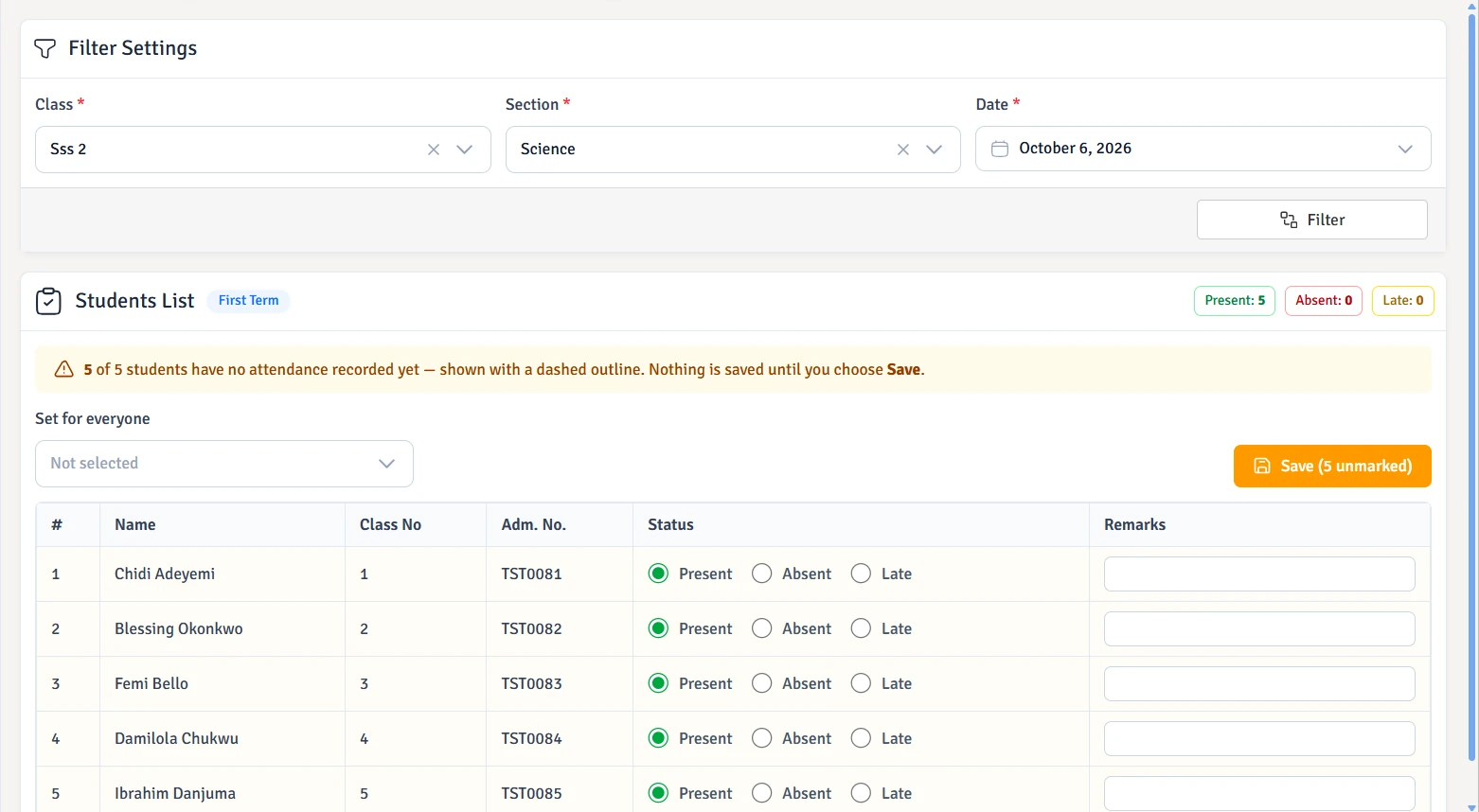
  • Take everyone’s register. Mark students and staff in groups, then adjust individual absences and lateness.

  • Leave holidays to the calendar. Public holidays appear automatically. Weekends and holidays stay out of school-day totals.

  • Report cards, without recounting. Attendance totals and percentages come straight from marked registers.

  • Know who needs a nudge. Catch Up flags missing registers; the dashboard identifies classes and teachers to follow up.

One school day. Everyone accounted for.

Students
Staff
Mark the group. Adjust the individual.
Present Absent Late
Earlier attendance records stay within reach.

School fees, from charge to receipt

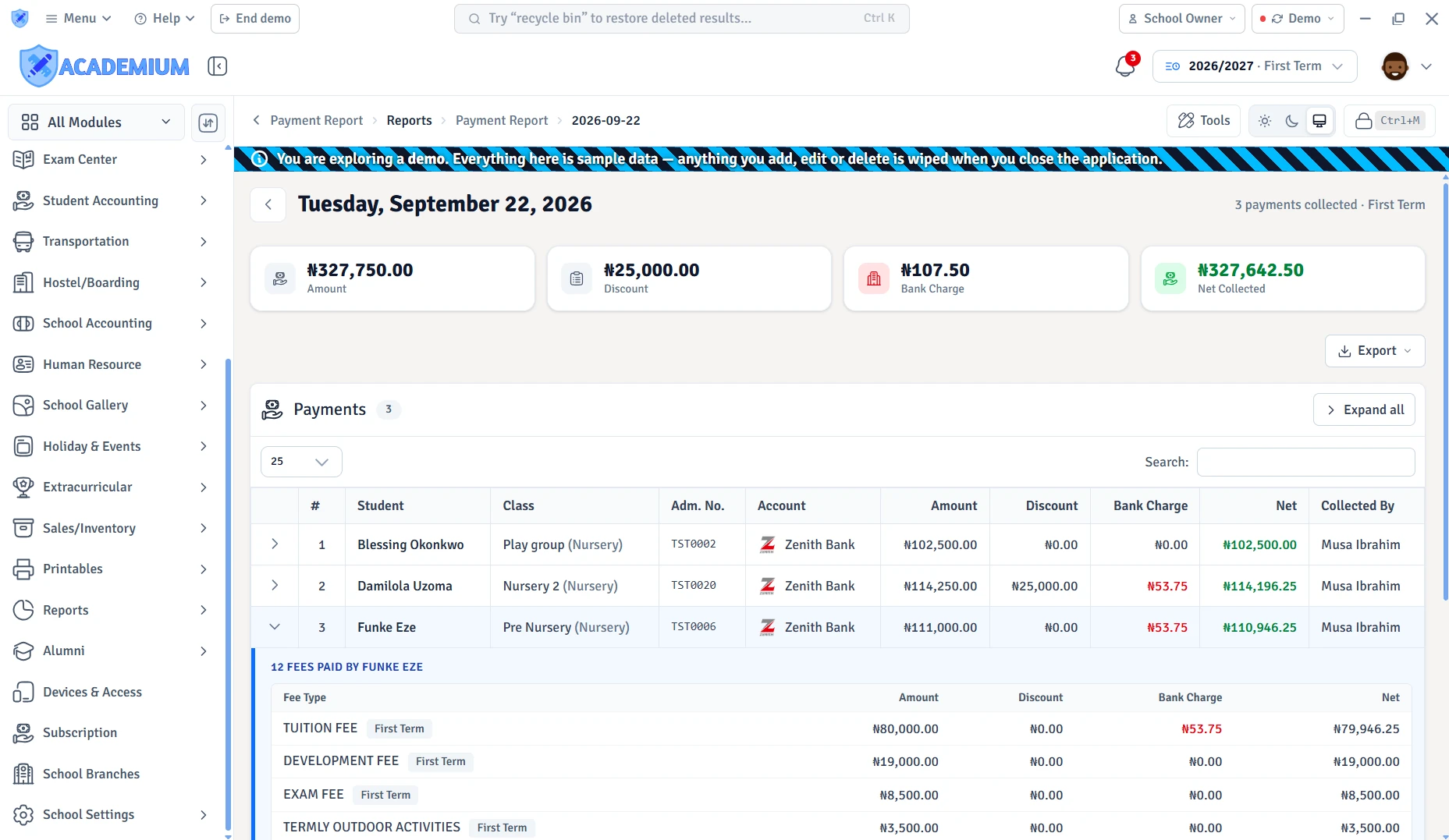
Every charge. Every payment. In the picture.

A clear bill for the family. A clear balance for your school.

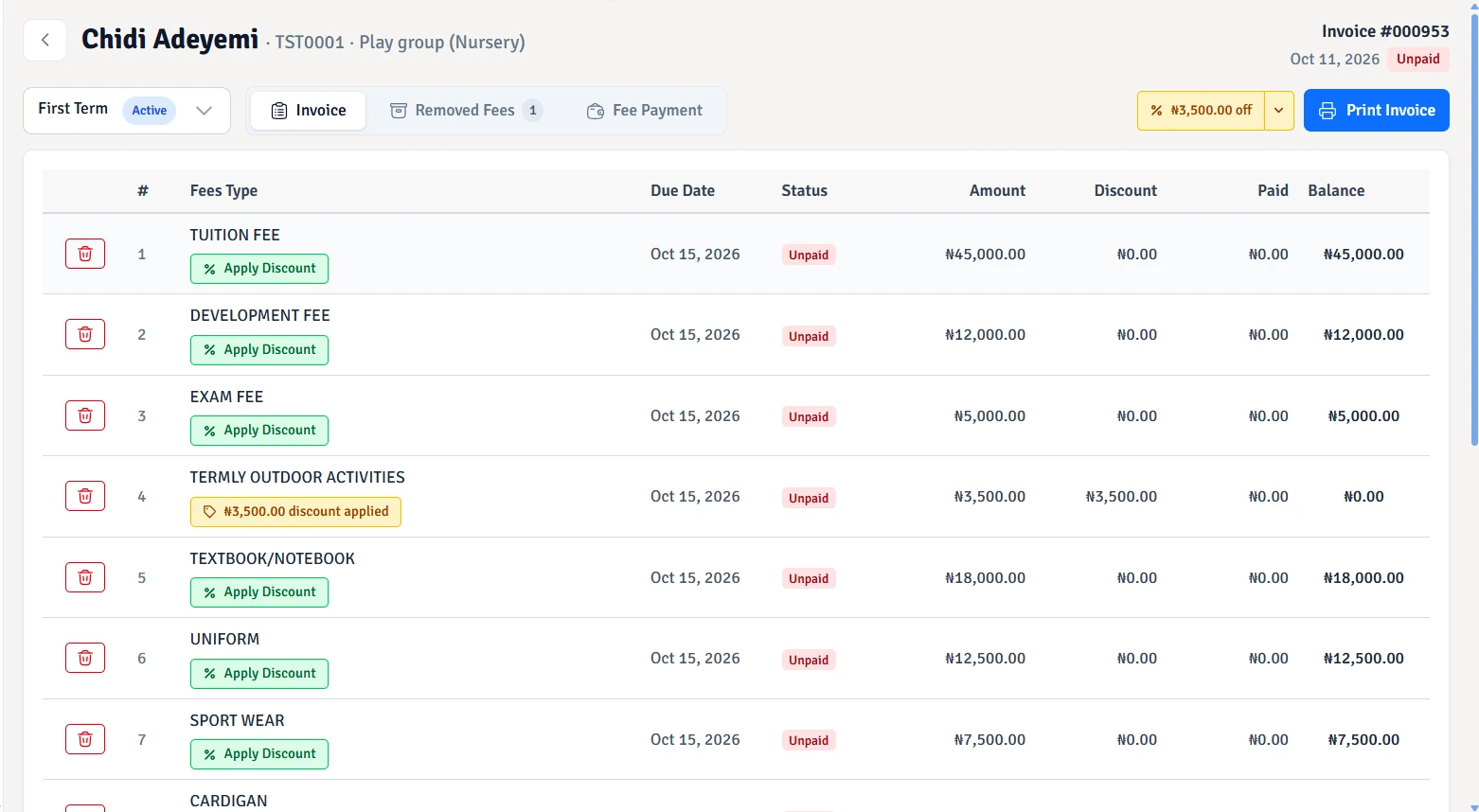
  • Your fee structure, carried through. Fee groups bring your charges and due dates together for a class or an individual child, without rebuilding each invoice.

  • More than tuition. Assigned transport and hostel charges join school fees on the same invoice, with their own payments and outstanding balances.

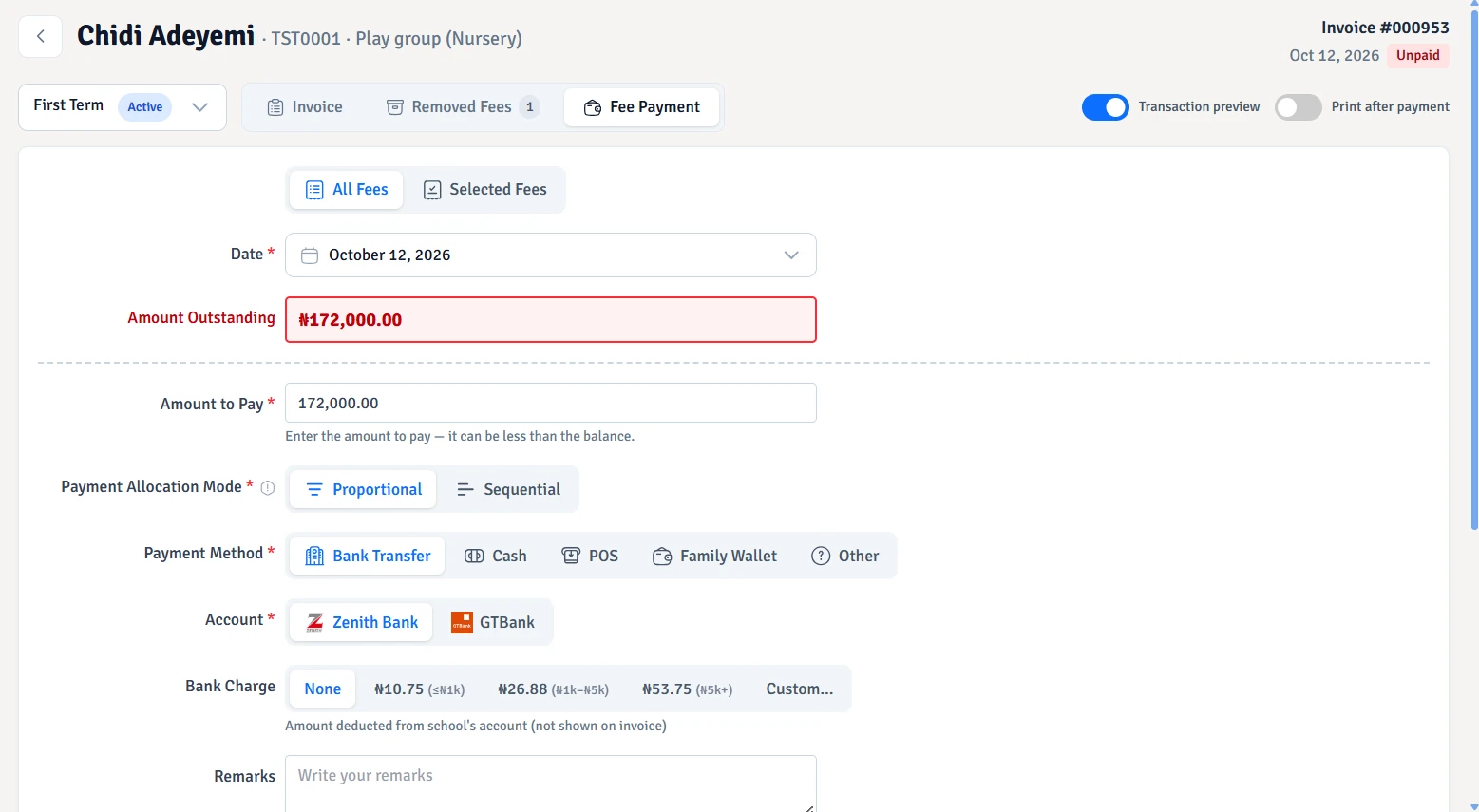
  • Part payments. Full clarity. Full and partial payments update what is paid and what remains. Receipts and payment history keep the details within reach.

  • Room for individual circumstances. Discounts and fee exclusions adjust a child’s bill without losing sight of the original charges or the changes made.

  • Balances don’t disappear at term-end. Earlier unpaid balances stay visible. Due-fee reports, reminder rules and optional late fines help your school follow up.

One family. One wallet.

Siblings share more than a surname.

One parent’s balance can cover the children linked to their family.

  • Funds ready when fees are due. Recorded top-ups become a family balance, ready to pay selected charges without receiving a new payment for every child.

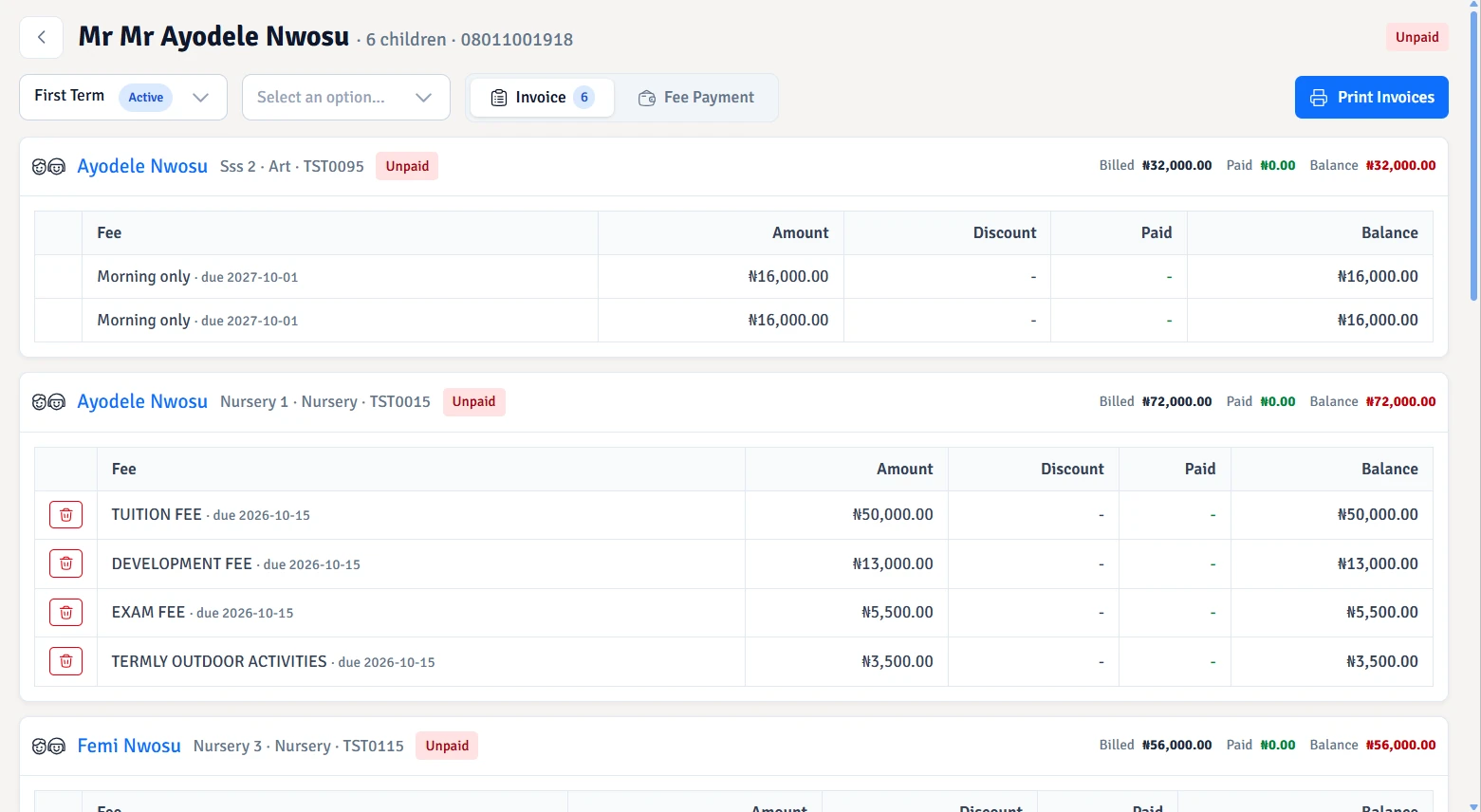
  • The whole family, in one view. Linked children’s bills come together, while payments still belong to the right child and the right fee.

  • School fees. Bus fares. Boarding. Wallet payments reach regular, transport and hostel fee lines on the family’s invoices, including part payments.

  • Every movement leaves a record. Top-ups, payments and the balance after each movement stay in the transaction history. Payments are checked against available funds.

A balance for the family.Illustration
Family walletOne parent or guardian’s balance
Children linked to the familyEach child keeps their own invoice.
School fees
Transport
Hostel

Selected charges are paid from available funds.

The accounts behind your school

Money in. Money out. Nothing lost in between.

Follow your school’s money beyond the fee collection desk, including the taxes behind it.

  • Every movement has its place. Fuel, supplies, refunds and deposits keep their categories and references. Income, other inflows, expenses and outflows stay distinct, with running balances and account statements.

  • Less recording the same payment twice. Linked fee collections, transport and hostel payments feed the ledger. Recorded salary payments stay linked to payslips, and reversals keep the original entries traceable.

  • Adjustments that balance. Journal entries keep debit and credit totals together, with drafts, posting and reversals for your accounting work.

  • Bring the bank and the books together. Bank reconciliation helps match statement movements to your records and identify differences. Deleted transactions remain available for review.

  • Tax figures with the detail behind them. PAYE calculations use your tax bands and staff deductions. Exemptions, monthly reports and remittance records keep payroll tax in view; fee-tax reports show tax collected by fee type and payment method.

The story behind the balance.Illustration
Money in
Money out
School feesIncome · FEE-101
+₦45,000

A recorded fee payment joins the linked account.

Movement 1 of 9
The transaction trail
  1. School feesIncome · FEE-101+₦45,000

Example figures · fee posting uses your school’s accounting links.

SMS + Surepass

From the exam room to the report card.

Set your school’s assessment rules, then turn teachers’ marks and Surepass results into grades, class positions and report cards.

  • Let SMS do the maths. Your grading rules turn recorded marks into totals, averages, grades and positions.

  • Put Surepass results to work. With both school servers, reuse SMS records in Surepass, then review the marks before sending them back.

  • Make the report yours. Bring marks, attendance, skills and remarks into your chosen report layout.

  • Publish when you’re ready. Catch Up spots unfinished results. Authorise marks and decide when parents can see them.

One school. A connected assessment journey.

From SMS school records to Surepass assessments and back to SMS reports Illustrative workflow: import school records into Surepass, run an assessment, review and export marks to an existing SMS exam and score component, then generate report cards. Academium SMSYour school recordsPeople, classes & terms01Academium SurepassRun the assessmentComputer-based tests & exams02Academium SMSReview & send marksChoose the SMS assessment03Academium SMSPrepare school reportsGrades & report cards04
SMS school records → Surepass assessment → reviewed marks in SMS → school reports.

Progress has more than one measure

Give every learner the right kind of report.

Give younger learners a report that reflects their skills, development and classroom progress.

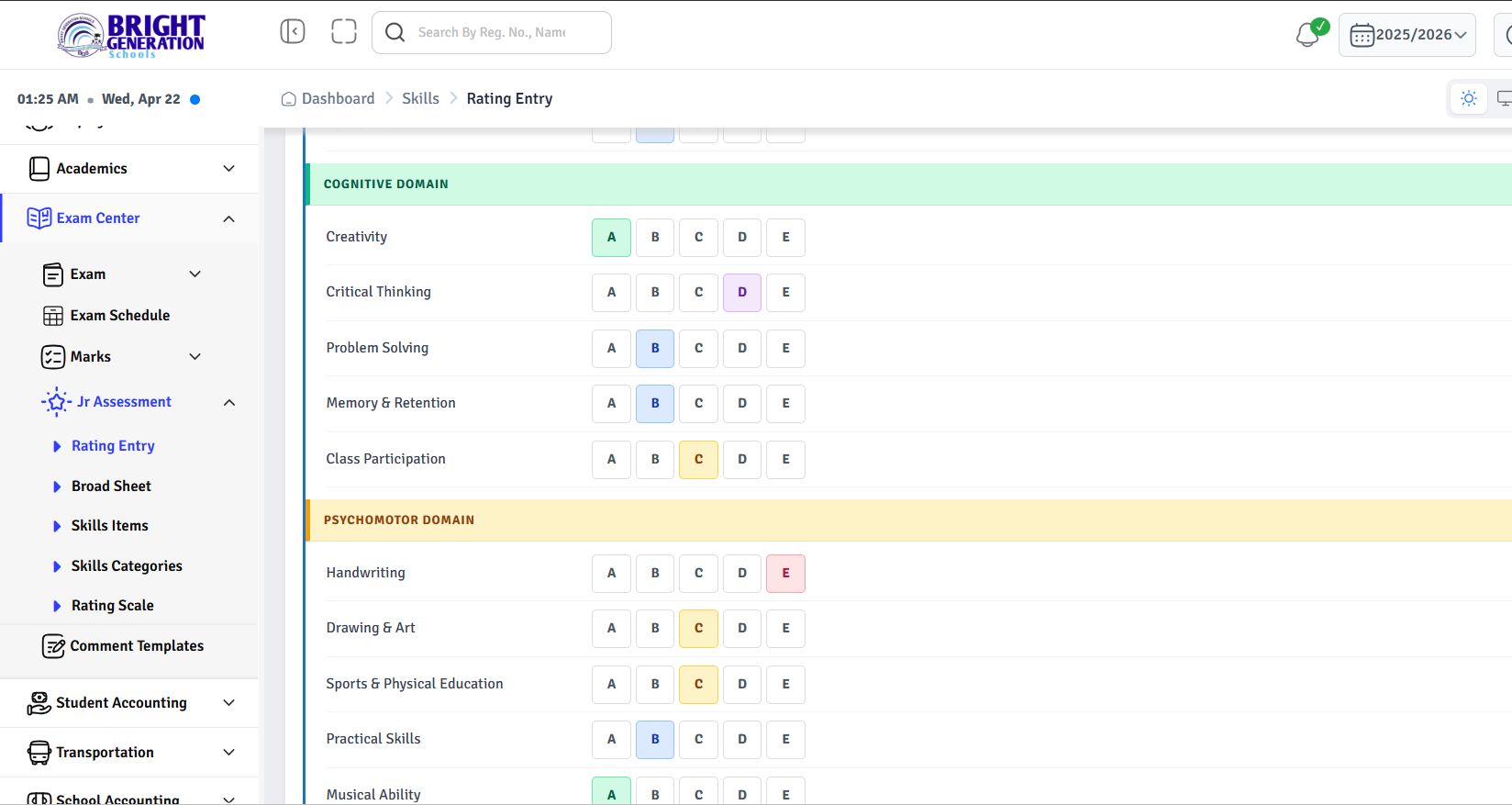
  • Assess what matters. Choose the skills, categories and rating scales your school uses.

  • Fit the assessment to the class. Each class can have its own skill categories, so learners are assessed in the areas that suit their stage.

  • Record what teachers see. Give each learner individual ratings and written remarks.

  • Spot unfinished assessments. Completion badges show which learners still need skill ratings, without opening every student’s record.

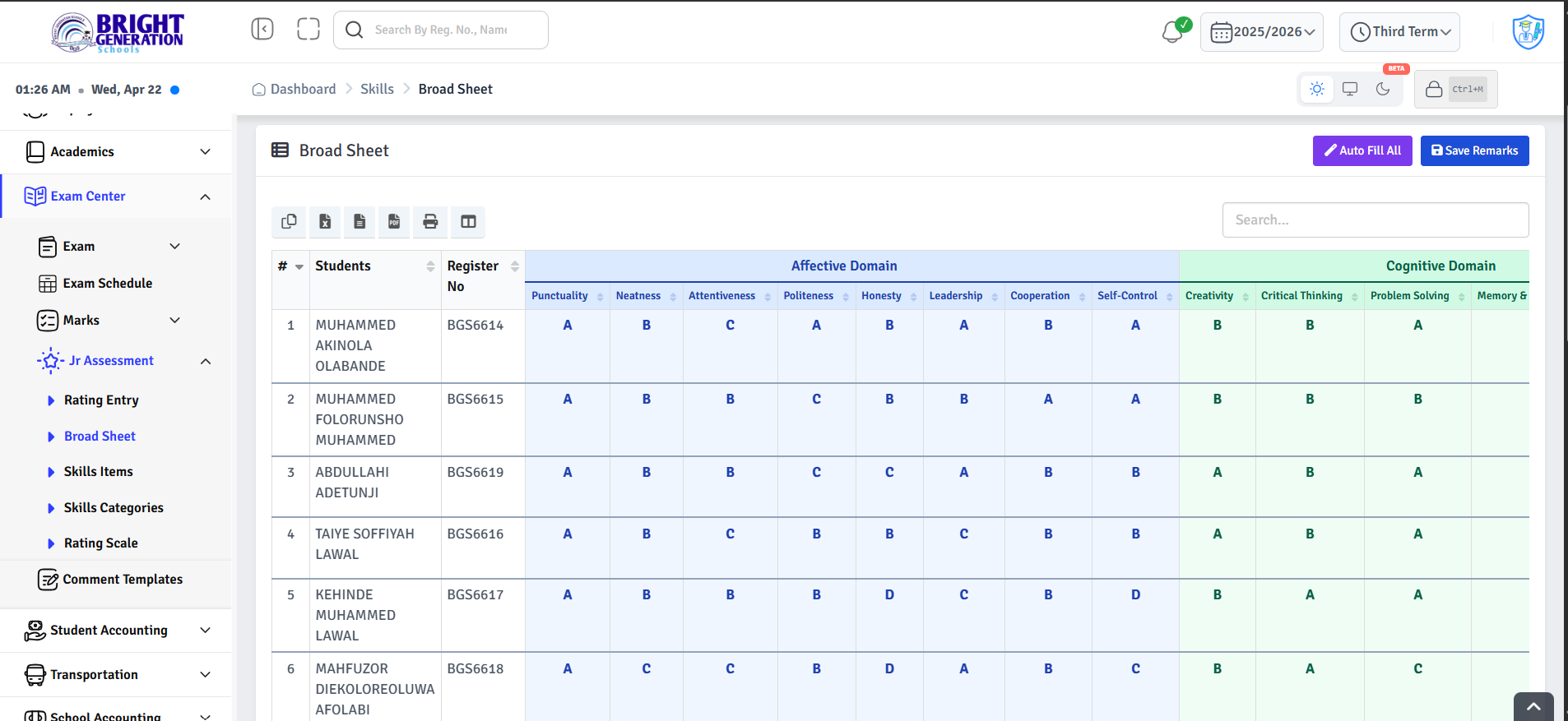
  • Share the full picture. Use skills-only or combined subject reports, with attendance and class broadsheets.

One child. A growing school history.

Carry every child’s story forward.

From their first day to their next chapter, keep each child’s records, milestones and support connected.

  • Keep the family connected. Parent details and sibling links stay with the student’s profile.

  • Find the whole record. Find documents, fees and results together.

  • Move up. Keep the history. Promote, record repeats or graduate students while retaining earlier enrolments.

  • Move students. Keep the trail. Transfer between classes, sections or school branches, with dates and reasons recorded.

  • They leave. Their story stays. Keep departure dates and reasons on file. Restore active enrolment if a student returns.

  • Scholarships that lighten the fees. Fixed or percentage awards can cover a term, a session or several sessions. Approved scholarships reduce eligible fees automatically.

Student profileA record that grows with the child.
FamilyParents & siblings
School recordsDocuments, fees & results
Class progressionPromote, repeat & graduate
Student transfersClasses, sections & branches
Students who leaveDepartures & returns
ScholarshipsApproved awards reduce fees
Next class. Next session. The history stays.

The people behind the school day

Look after the people who look after your school.

Staff records, everyday requests and payroll belong together. So do the people serving your school through NYSC.

  • Keep a record for everyone. Keep staff details, documents and salary records in one profile.

  • Give leave requests an answer. Staff submit requests; your school reviews and records the decision.

  • Let salary rules do the maths. Salary structures bring allowances, deductions and overtime into payslips, with adjustments for a single pay period.

  • Help now. Recover through payroll. Requests keep amounts, reasons and decisions together. Issued salary advances are recovered from the selected month’s pay.

  • Keep pension contributions in view. PFA accounts, employee and employer contributions, remittances and each employee’s contribution history stay organised.

  • Look after your NYSC team. Posting details, service dates, status, school allowances and discharge records stay linked to each corps member’s staff profile.

  • Keep salaries moving. Payslips follow your school’s approval steps. Catch Up highlights waiting decisions, and payment records show who has been paid.

Employee profileThe people behind your school day.
Staff recordsDetails & documents
LeaveRequests & decisions
SalariesPayslips & payments
Salary advancesSupport now. Salary recovery.
PensionPFA accounts & contributions
NYSC managementService records & allowances
The pay period, brought together.1 / 3
Assigned salarySalary structure
Allowances & overtimeIncluded in the payslip
Deductions & advancesReflected in net pay

Payslip ready for review

Illustration · approvals follow your school’s rules.

Answers already in your records

Less searching. More understanding.

From a single unpaid bill to the bigger picture of your school.

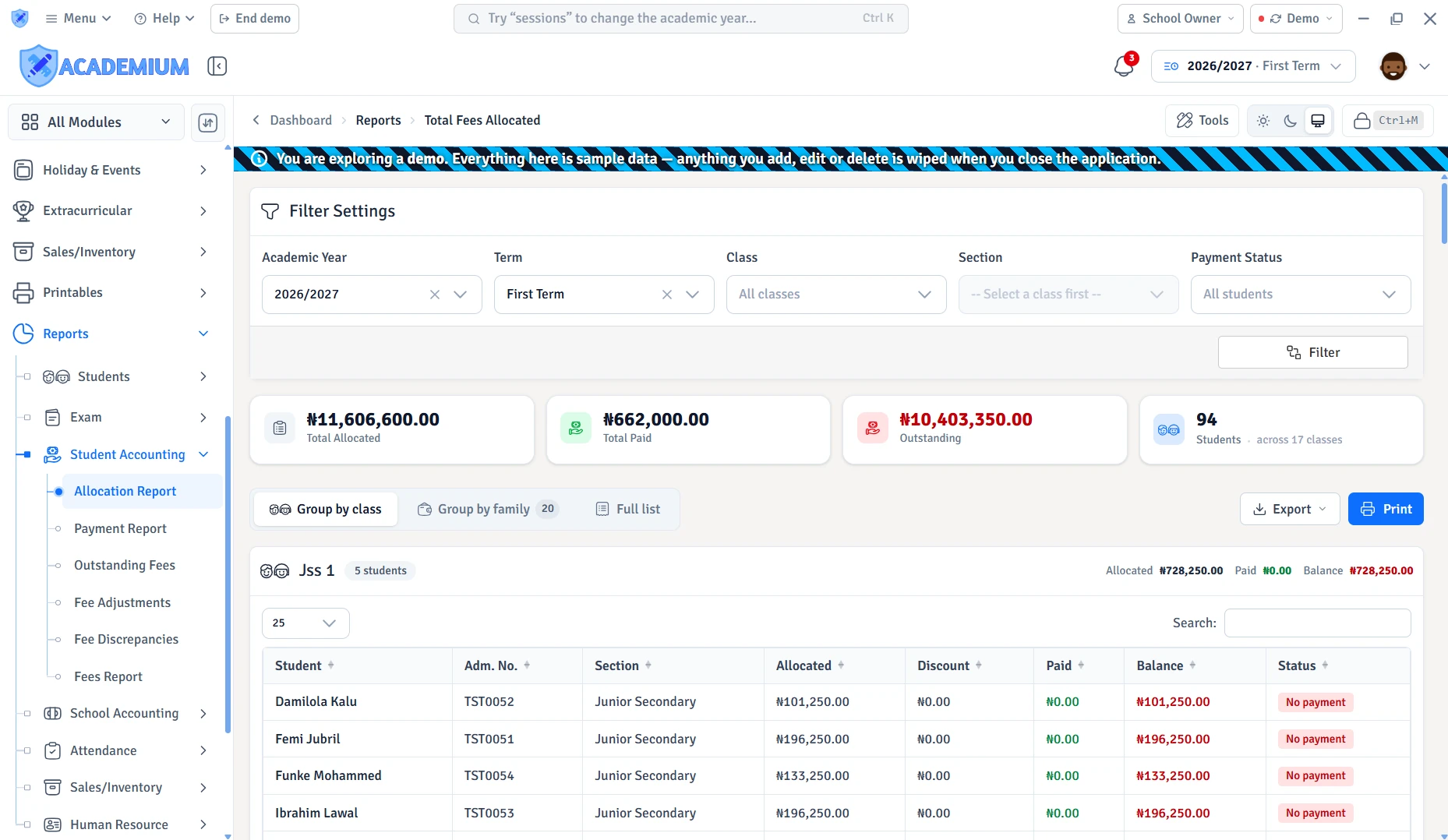
  • Follow the money. Fee summaries, outstanding balances, discounts and fines sit alongside account statements, ledgers, balance sheets and income-versus-expense reports.

  • Follow the school day. Student and staff attendance, admissions, class lists, sibling links, leave and payroll reports bring different parts of school life into view.

  • The detail you actually need. Each report offers its relevant filters, such as term, class, employee, account or date range, so the answer stays focused.

  • Useful beyond the screen. Report tables can be copied, exported for a spreadsheet or printed, with Save as PDF available through the print view.

A question. A clearer picture.
Account · term · date range
Fee summaries & balancesPaid, outstanding, discounts and fines
Account statements & ledgersThe entries behind each balance
Income versus expenseMoney received and money spent
SpreadsheetSave as PDFPrint

A sample of the reports in SMS. Report access follows your role and enabled modules.

Printables that belong to your school

Your school. On every page.

Report cards and student ID cards that look and feel like your school. Your layout, your background, your fonts.

  • A report card that feels like yours. Your logo, background artwork, fonts and signatures give every report your school’s identity. Reusable templates keep that look ready for the next print run.

  • The information you want to share. Subject results, skills or both on one card. Choose which attendance details, grades, positions and remarks appear, using the records already held in SMS.

  • A student’s identity, front and back. ID-card layouts bring photos and school details together, with front-and-back designs and fields your school can personalise.

  • Ready for one child or a whole class. Reusable layouts and student selection save repeated document work. A preview comes before printing or saving the generated PDF.

School records. Ready to hand over.
Subjects · Example 1 of 3
Your school nameYour school’s identity

Term report card

Student detailsClass · session · term
AttendanceGrading scale
School signatures
Layout illustration · records come from SMS
Plain backgroundSchool font
One student or a selected group. The same school identity.

Your school day, in view

Start your day. Know your next move.

The right view makes a busy school day feel a little less busy.

  • Your role. Your view. School leadership sees the bigger picture. Teachers see today’s lessons. More dashboards tailored to each role are in progress.

  • The school at a glance. Bring fees, income and expenses, attendance follow-ups and wallet balances into view, according to your access.

  • Know what needs you. Catch Up surfaces unfinished work and waiting approvals. Keep non-urgent items for your chosen hours while urgent items stay visible.

  • Keep what matters close. Choose which dashboard panels appear, your clock style and the calendar view you prefer.

Your day starts here.

Illustration
Good morning.
Catch UpWhat needs attention
Fees summaryPaid and outstanding
Income & expenseThe financial picture
AttendanceRegisters to follow up
Family walletsBalances in view
School calendarWhat’s coming up
Your panels. Your clock. Your calendar view.

More dashboards tailored to each role are in progress.

Less looking. More doing.

Find what you need. Get back to your day.

A person, a record or your next task. One search brings it closer.

  • The school, within reach. Find students, staff, parents, classes and fee groups without visiting each list separately.

  • A typo needn’t slow you down. Small spelling mistakes can still bring up the name you meant.

  • Straight to the work. Search for a page or a familiar task, such as mark entry or fee collection, and skip the trip through the menu.

  • The next step is right there. Available shortcuts beside a student take you to their profile, invoice, attendance, transport or hostel records.

  • Your permissions still apply. Results and quick actions follow staff access, so search keeps the same boundaries as the rest of SMS.

A shortcut to your school day.Preview
AmraCtrl K

Students

Amara OkaforStudent · JSS 1
ProfileInvoiceAttendance
↑ ↓ navigate↵ openEsc close

A small typo. The right student.

stu:sta:par:cls:fee:go:

Results follow your staff permissions.

Illustration · example records and permitted actions

A workspace that feels like yours

Same school. Your own way of working.

Little choices make a big difference when you use something every day.

  • Comfort, on your terms. Choose your theme, schedule dark mode for the evening, and arrange or hide the menu items you can customise.

  • A heads-up your way. Pick your notification tone and volume, where alerts appear and how long previews stay. Or keep previews out of your way.

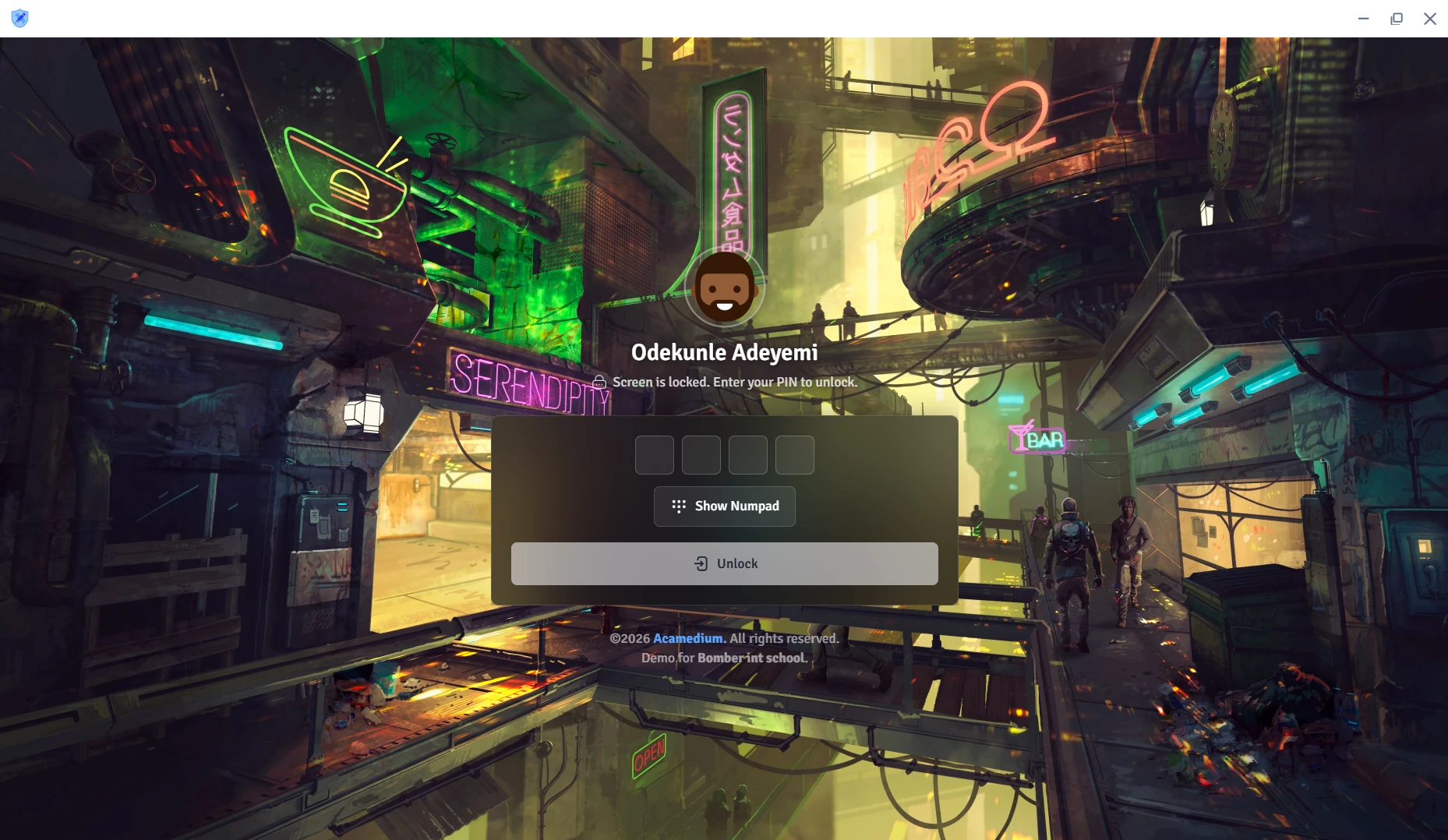
  • Make the lock screen yours. Use a photo or a slideshow, choose your idle-lock wait, and decide whether unread notifications show while your screen is locked.

  • Fewer little interruptions. Choose rows per page, automatic filters, selected-row highlighting and whether guided tours appear.

  • Your desk essentials, built in. Basic, Scientific and Office calculators sit alongside a personal notepad that saves your notes automatically, without leaving your page.

Make yourself at home.

12:40

Your school day, paused.

A school notificationUnread notices can stay in view.

Try the illustration. In SMS, your photos can also become a slideshow.

Fits the way your school runs

Online. Offline. On your terms.

A shared desk, a personal laptop, a school with unreliable internet. There’s a way to work that fits.

  • Hosted with Academium. Run your school through the Academium portal, with Individual connecting your employees’ own computers.

  • Right there at your school. An onsite Windows or Linux server keeps SMS available across your school’s network without relying on the internet. Client and Individual are included.

  • At school. Away from school. With both enabled, your school server is primary and the Academium portal is secondary. Individual uses the school server when reachable and the portal when you’re away.

  • One computer. Several colleagues. Client finds your school’s SMS server automatically and supports multiple signed-in employees on a shared computer.

  • Keep working when the connection doesn’t. Individual works fully offline on a personal computer. Changes sync when your chosen Cloud portal or school server is reachable.

A setup that suits your school.

SMS runs from your school’s Windows or Linux server. School computers connect over your local network.

School serverWindows or Linux
Shared computersClient · school network
Personal computersIndividual · offline work
Individual keeps working when the connection is unavailable.
Choose your SMS edition

Academium SMS + Academium Surepass

One school. From assessment to report card.

Your school is already in SMS. Let Surepass pick up from there.

  • Leave the second register behind. Reuse SMS students, staff, classes, sections and subjects in Surepass, without entering the same school records again.

  • Assessments that fit your school. SMS sessions, terms and assessment mark allocations carry through, so tests and exams belong to the right school period.

  • Marks, without the retyping. Completed exam results can return to the matching SMS exam and mark category, with a preview of student matches and scores before sending.

  • All the way to the report card. SMS brings those marks together with your grading rules, attendance and remarks to prepare your school’s reports.

Academium SMS
Academium Surepass

The school you’ve already set up.

Sessions & terms
Subjects
Classes & sections
Students
Staff
Mark allocations

School records move from SMS into Surepass. Assessment marks can come back.

For schools with connected SMS and Surepass school servers.

Get Academium Surepass

With Academium, Everyone Wins!

School Owner/Director

School Owner/Director

  • Catch Up shows the work left unfinished across the school
  • Every branch’s figures, a click apart
  • See, lock or sign out any computer holding school data
  • Approval rules before fees are written off
  • Reports on fees, accounts, attendance and exams
  • Fees paid twice found before anyone asks

Teachers

Teachers

  • Mark the whole class, then adjust the few
  • Marks entered one paper at a time, totalled as you type
  • Report-card comments filled for the whole class in one click
  • Their own timetable and class schedule
  • Leave and overtime requested from their own account
  • A calculator and notepad beside their work
Bursary/Accounting Officer

Bursary/Accounting Officer

  • Fees collected per child or in one family payment
  • Part payments and earlier balances on one invoice
  • Payroll with PAYE worked out, through to the bank file
  • Deposits, expenses and journals in school accounting
  • Bank reconciliation until the difference is zero
  • Fee reports exported to Excel or CSV
Parents

Parents

  • One invoice and one payment for all their children
  • Pay in parts, with a receipt for every payment
  • A family wallet for fees, bus fares and boarding
  • Clear printed report cards each term
  • Brothers and sisters admitted together
  • Complaints at the front desk followed up until resolved
Students

Students

  • Report cards with grades, positions and comments
  • Skills assessed with care in the early years
  • Clubs, teams and houses on record, assessed each term
  • Awards and recognition kept on file
  • An ID card with their photo and an emergency contact
  • Accurate attendance records

There’s a lot more where that came from.

Every module built around how schools actually work.

Modules

Attendance
Academics

Attendance

Student and staff registers, calendar-aware totals and missing-register follow-up keep every school day accounted for.

View use case
Feature 1 of 6

Features 6

Delegate with confidence

Your school. Your rules.

Give staff the access their work needs, with boundaries set by your school.

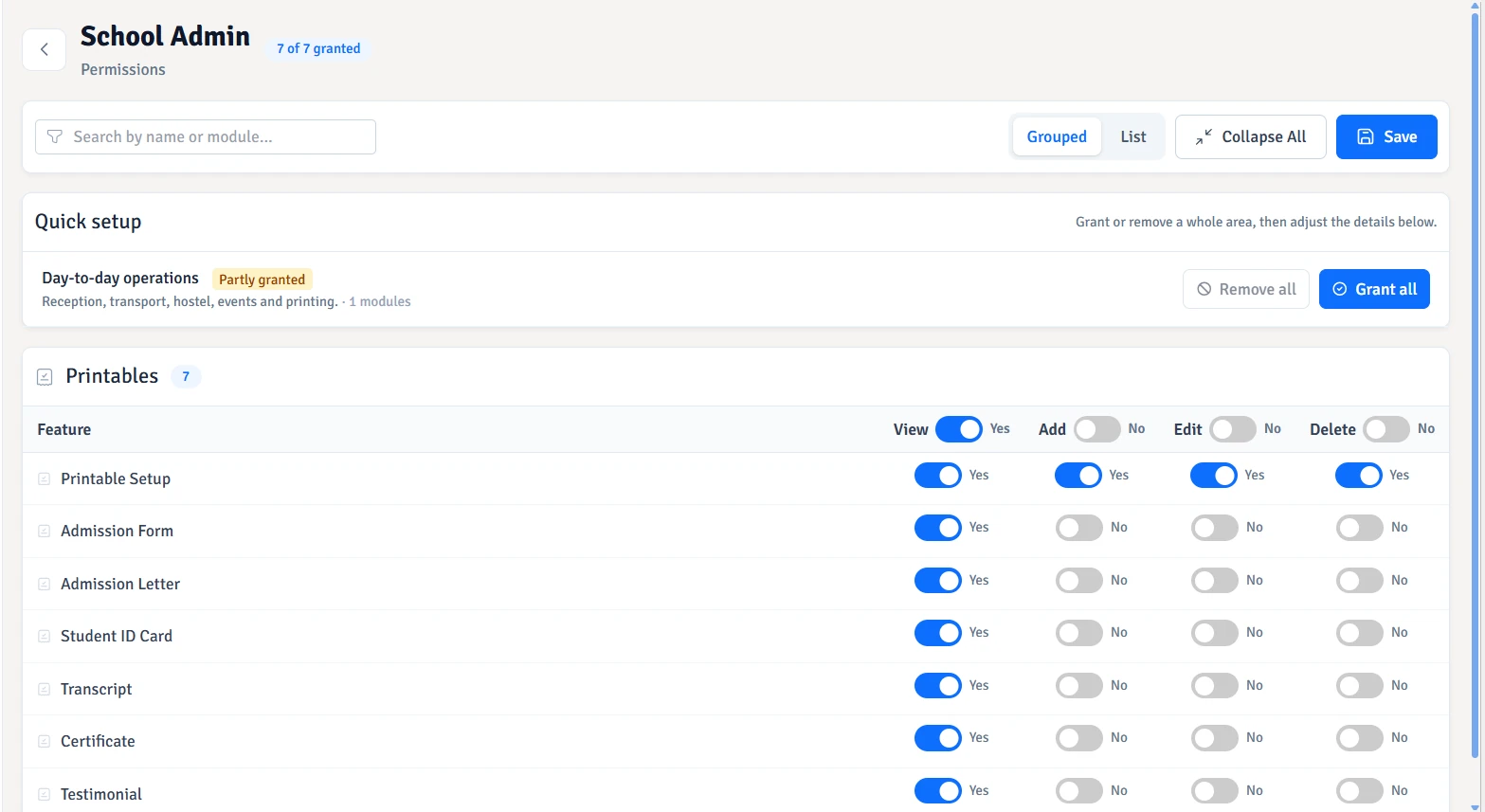
  • Give every role its place. Choose which parts of SMS a role can open, then assign staff to that role.

  • Allow viewing, limit changes. Set view, add, edit and delete permissions separately.

View Add Edit Delete

Access belongs to your school

You decide who gets in.

Know who is using your school system, on which computer, and keep access decisions in your hands.

  • Recognise every computer. Use a one-use code to enrol staff on a named computer and review who uses it.

  • Take back access. Bar staff from a computer or request a lock or sign-out when it next connects.

  • Set boundaries for offline work. Choose how long each role can work offline before reconnecting.

A person. A computer. Your permission.

  1. One-use codeEnrol the employee
  2. Known computerGive it a familiar name
  3. Staff accessReview who uses it

Access can be taken back.Remote lock and sign-out requests apply when the computer next connects.

Offline has your boundaries.Set how long each role can keep working before reconnecting.

Protection for the everyday school day

Secured by Design

Protect employee access, school data and the computer that keeps your school running.

Sign-in Recovery Device trust

Security questions

A forgotten password needn’t stop the school day. Recovery questions help eligible employees regain access, while their answers stay protected by a password check.

Authenticator & backup codes

Backup codes stay within reach. Disabling authenticator settings or replacing backup codes is password-protected, helping keep those decisions with the account holder.

Personal PIN

An extra barrier for your records. A quicker return to work. Your PIN keeps access on trusted computers simple without repeating your username and password.

Trusted devices

Trust stays in your hands. Your trusted computers and their recent activity remain visible, and a computer you no longer use can lose its trusted status.

Password protection

Password rules reflect each role’s responsibilities. A password change also clears existing device trust, giving your account a fresh start.

Your sign-in identity

Your sign-in name can change as your details do. Your profile, permissions and existing work stay together in the same account.

Available controls depend on the employee’s role. PIN sign-in and screen unlocking require an enrolled computer.

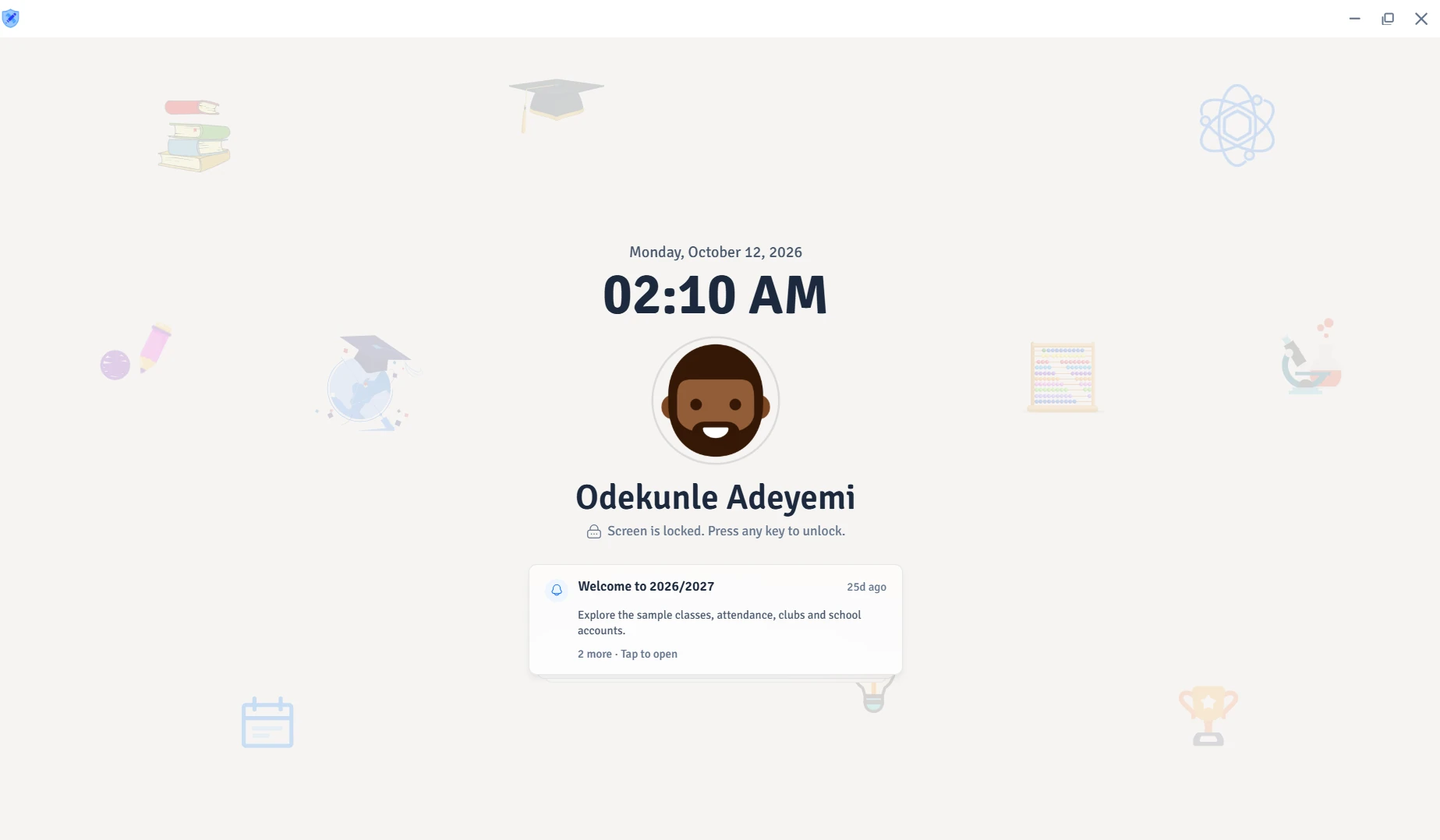
PIN lock screen

Step away.
Keep your place.

Your PIN adds an extra barrier to your school’s records and gets you back to work faster. On your trusted computer, there’s no need to type your username and password all over again.

Manual lock Idle auto-lock

Even when you forget, idle lock remembers. Your screen locks automatically after the idle time you choose.

A lock screen that feels like you. Your own photo or a slideshow gives it a personal touch.

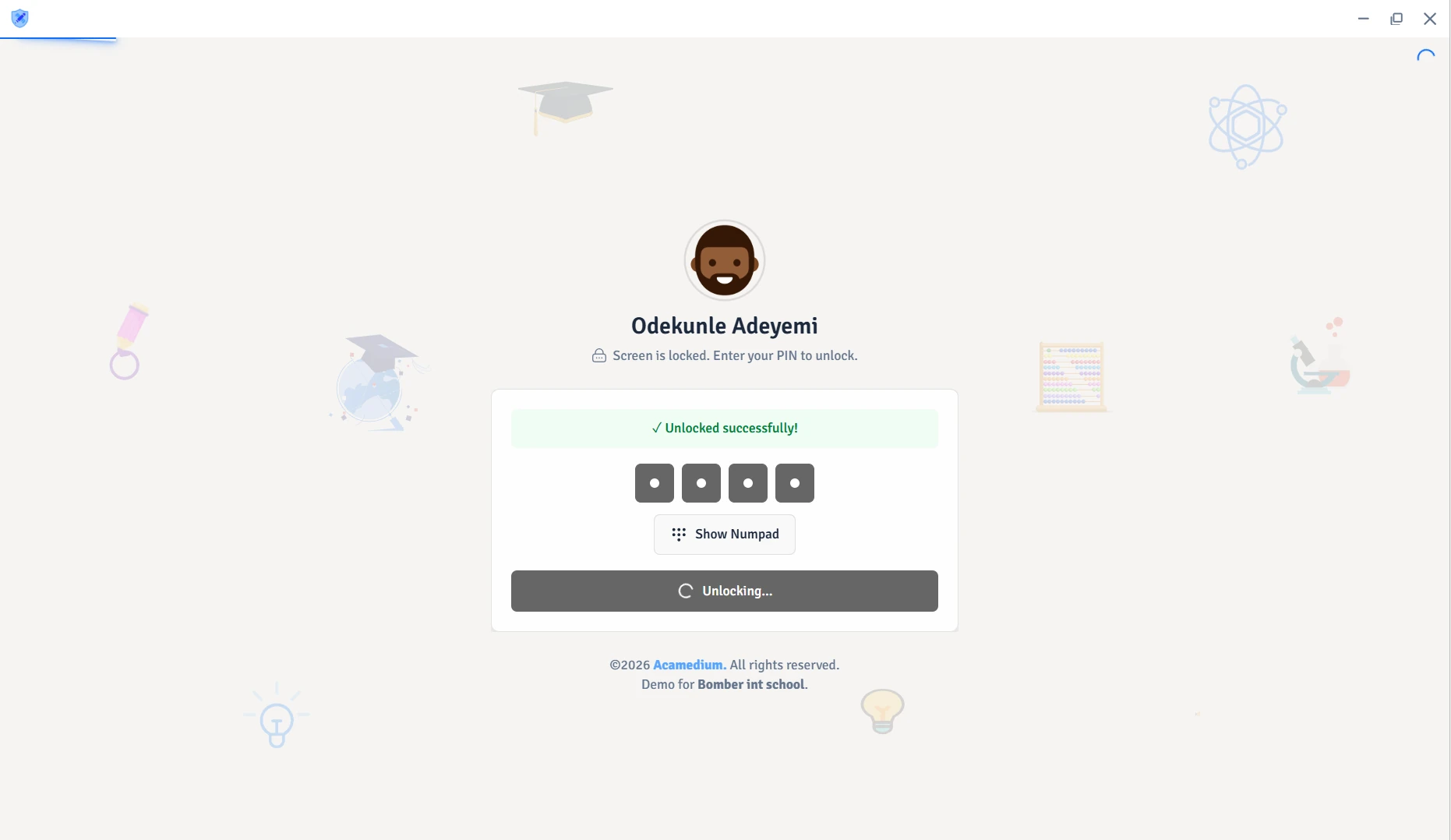
Stay in the loop, even while locked. Keep unread notifications in view, or hide them for more privacy. Unlock with your PIN to open a notice.

Your data. Your recovery. Your school server.

Protect the work your school can’t afford to lose.

From portal connections to recovery copies, your school’s records have protection beyond the sign-in screen.

School recordsData travelling from the application
Encrypted connectionIndustry-standard HTTPS protection
Academium portalSchool data protected in transit

Encryption protects the connection carrying your school’s data.

Protected on the way to the portal.

School data sent to Academium portal uses industry-standard encrypted HTTPS connections.

Back up. Keep it protected.

Encrypted backups cover school records and uploaded files. Scheduled copies and a retained history keep recovery points within reach.

Recover your school’s work.

Records and uploaded files come back together from a saved school backup. Damaged or incompatible backups are rejected.

Earlier warning. More time to act.

Drive-health checks surface wear, storage faults and failure warnings, helping you act on early signs of trouble.

Know when your server needs cooling.

Temperature and fan readings reveal cooling problems, with warnings when a drive runs hot or a fan reports a fault.

Keep problems in sight.

Clock problems, unexpected shutdowns, server errors and missing backups surface in the server manager, ready for your attention.

Backup, restore and machine-health features are part of the server editions. Health readings depend on the computer. Backups require a school linked to Academium portal; cloud copies are optional.

More from your school server

One server. More for your school.

School apps, shared time and local computer addresses on one machine. Built-in network services help a small school keep its setup lean.

  • One time for the school. NTP lets school computers follow the server’s clock, keeping timestamps consistent across the local network.

  • Give every computer its place. Optional DHCP assigns local network addresses and remembers their leases. Names and pinned addresses keep familiar machines easy to recognise.

  • Open the app. Find the school. Client editions discover the SMS server on your school network automatically.

  • Get the other apps locally. Employees can download the included Client and Individual editions directly from your school server.

  • Shared services. Working together. When SMS and Surepass servers share a machine, they coordinate NTP and DHCP so one server handles those shared services.

Your onsite school serverAcademium SMS · Windows or Linux
School appsSMS on the school network
Shared timeNTP · one source for school clocks
Local addressesDHCP · automatic address leases
Your school apps. Available locally.

ClientShared school computers

IndividualPersonal computers

Client finds your school server automatically.

SMS and Surepass on the same machine coordinate NTP and DHCP. Network services are optional.
FAQs

Frequently Asked Questions

How does it fit into your school day? Here are answers about getting started, choosing an edition and working with Surepass.

Still have a question? Explore all SMS questions

Download the edition that fits your school’s setup. Server and Individual editions let you create a school, explore a demo or begin in free mode. A Client Edition joins an existing school server on the school network. Our downloads guide explains which edition belongs on each computer.

Beyond school management

There’s more for your school.

School managed. Assessments covered.

Take your school’s assessments further with Academium Surepass. Run exams and class tests, and prepare students with past-question practice. Connect your school records from SMS and bring completed assessment marks back into your reports.

Meet Academium Surepass

The right tools. A school ready to use them.

From a new computer lab to the network that connects it, Academium Plus helps you plan, source, install and maintain your school’s technology. Computers, servers, printers, CCTV and backup power, with support after setup.

Explore Academium Plus

Codein Developers

Your school has a story. Give it a home online.

Help families get to know your school before their first visit. Codein Developers creates school websites around your identity, admissions information, news and contact details, with a design that feels at home on a phone or a computer.

Let’s build your school website (opens in a new tab)